.png)
Fix a sign-in problem
Three ways in depending on who you are and what you can still reach: reset it yourself, change it from Settings, or get an admin to send a link.
Which path is yours
Three different screens do almost the same thing, and picking the wrong one is why this takes twenty minutes instead of two. The question is not what went wrong, it is whether you can still see the dashboard.
- Cannot sign in at all
- Forgot password on the login page. You do not need to be signed in.
- Signed in, want a new password
- Account Settings, Password. Faster, no email involved.
- A teammate is stuck
- Company Dashboard, People, open the person, send a reset.
Pick one
You cannot sign in
Go to the login page and click Forgot password under the form. Enter the email address on the account, not a personal alias, and send the link.
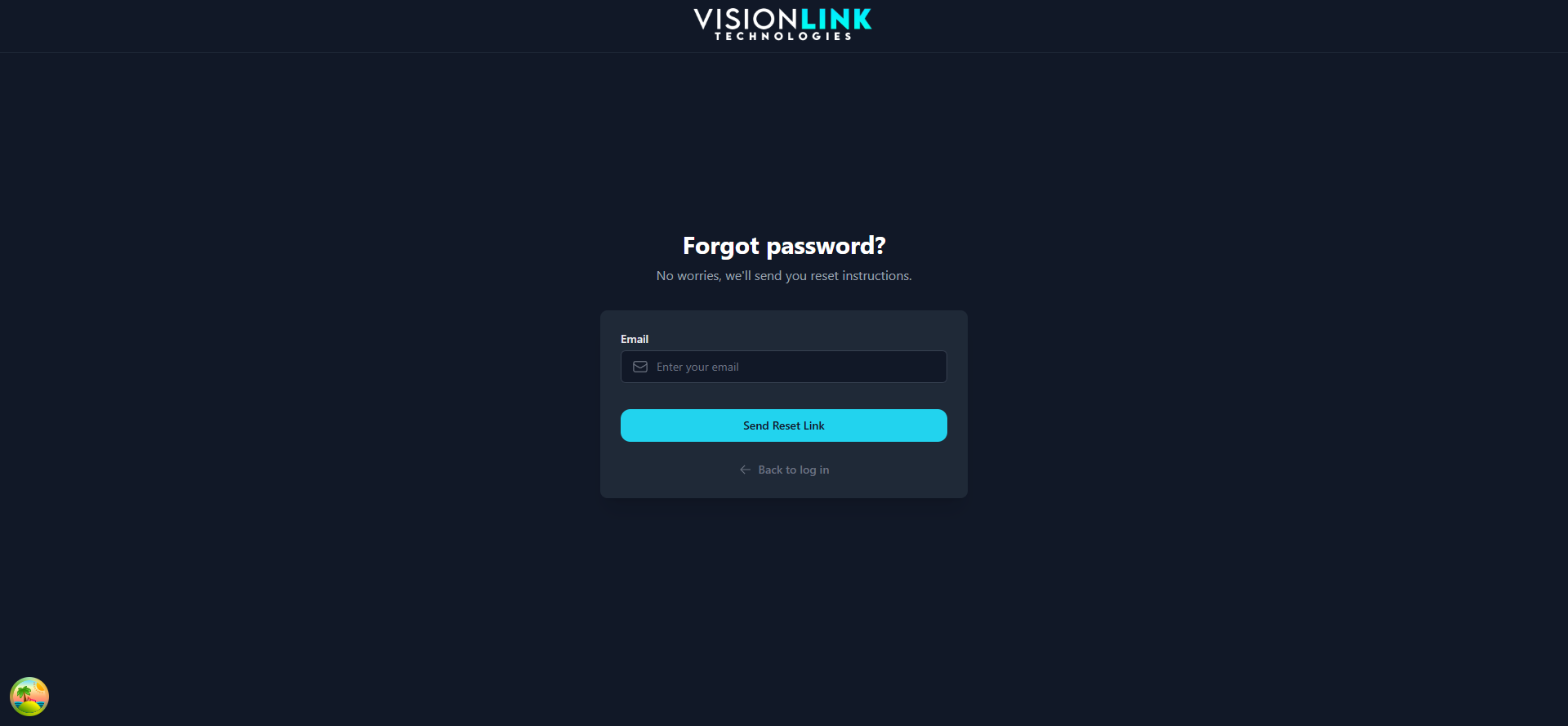
Send the link
The page confirms it sent regardless of whether the address exists. That is deliberate, so a stranger cannot use it to discover who has an account.
Open the email
Check Junk and Promotions. Reset emails are filtered more aggressively than almost anything else.
Set the new password
The link opens a page where you type the new password. Use the link itself, not the normal login form.
You are already signed in
If you can still reach the dashboard, skip the email entirely. Account Settings sits at the bottom of the left sidebar, under your name. The Security section holds Password Reset, just below Personal details.
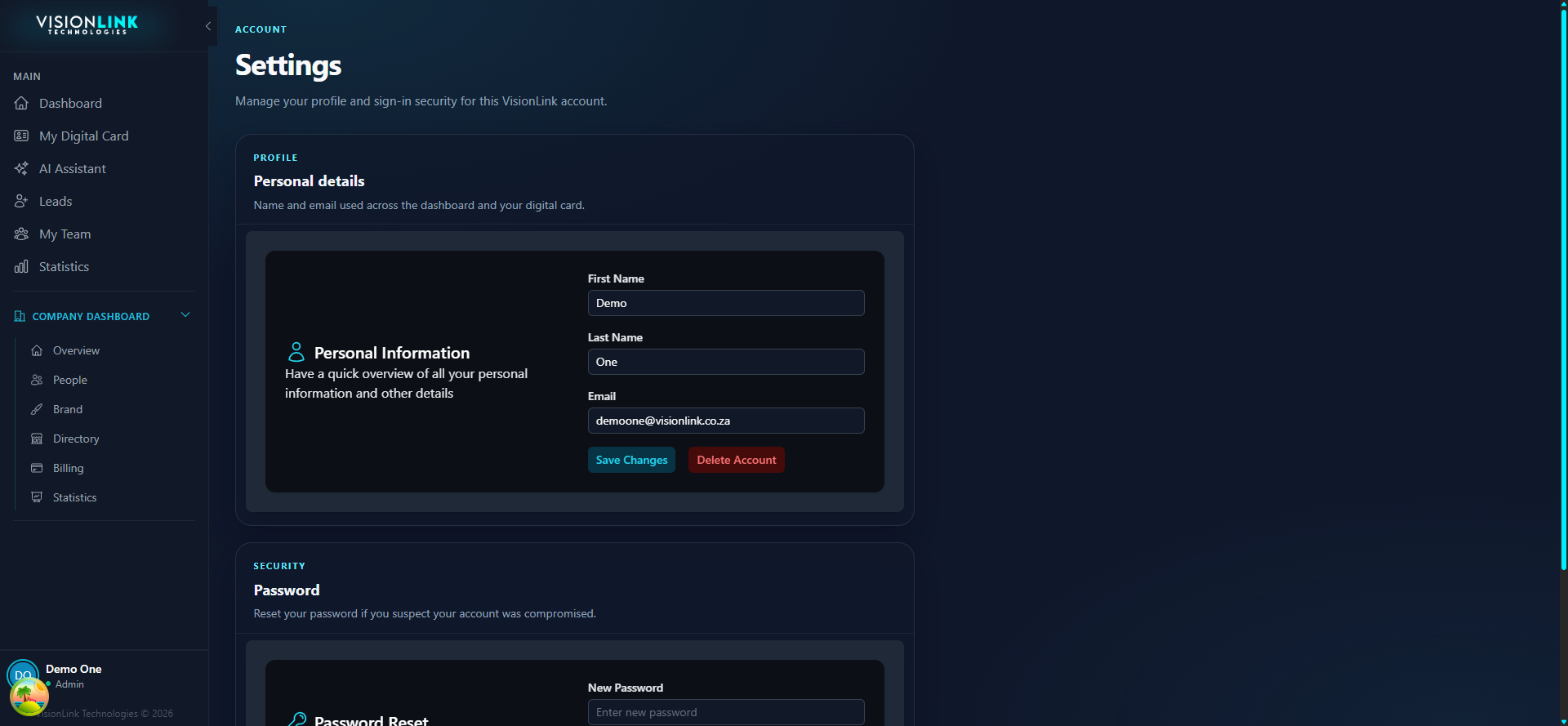
A teammate is stuck
Company admins can trigger a reset without knowing anything about the person's password. Open Company Dashboard, then People, then the person, and send a reset from there.
Confirm the address first
The reset goes to the email on the account. If that address is wrong, the reset is not the fix.
Send the reset
They get the same email they would have got from Forgot password.
Tell them to use the link
The most common failure is someone getting the email and then typing their old password into the normal login form anyway.
Still stuck
Work through these
- Confirm the exact email address on the account, including the domain
- Search the whole mailbox for VisionLink, not just the inbox
- Try a private window in case a saved password is autofilling over the new one
- If the address itself is wrong, an admin must fix it before any reset will work