.png)
Choose the right card modules
Modules are optional blocks on your public card. Pick the two or three that suit your work and leave the rest off.
How to choose
Every module you switch on pushes your phone number further down the page. The right question is not what can I add, it is what does someone need to see before they will contact me.
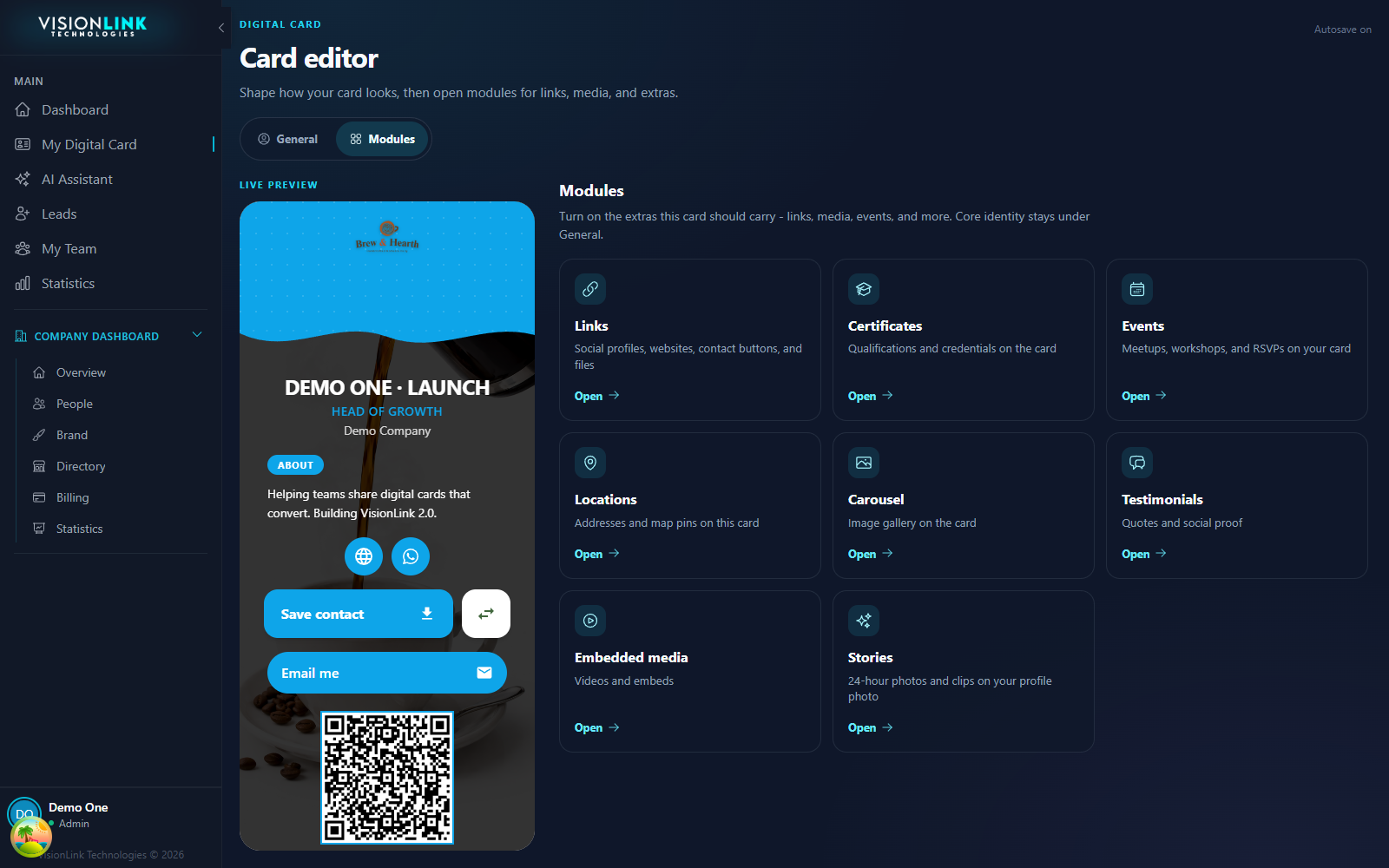
- Carousel
- Your work is visual. Photographers, builders, venues, product.
- Certificates
- You are hired on credentials. Trades, health, finance, compliance.
- Testimonials
- You are hired on trust and have real quotes to prove it.
- Locations
- People come to you. Shops, clinics, studios, branches.
- Events
- You run things people can attend and want RSVPs.
- Embedded media
- A showreel, a demo, or a podcast that does the explaining for you.
- Stories
- You post frequently and want the card to feel current.
Match the module to the job
Turning one on
Open My Digital Card, then Modules. Each tile is one block. Open a tile, fill it in, and it appears on the live preview as you go.
Company modules versus yours
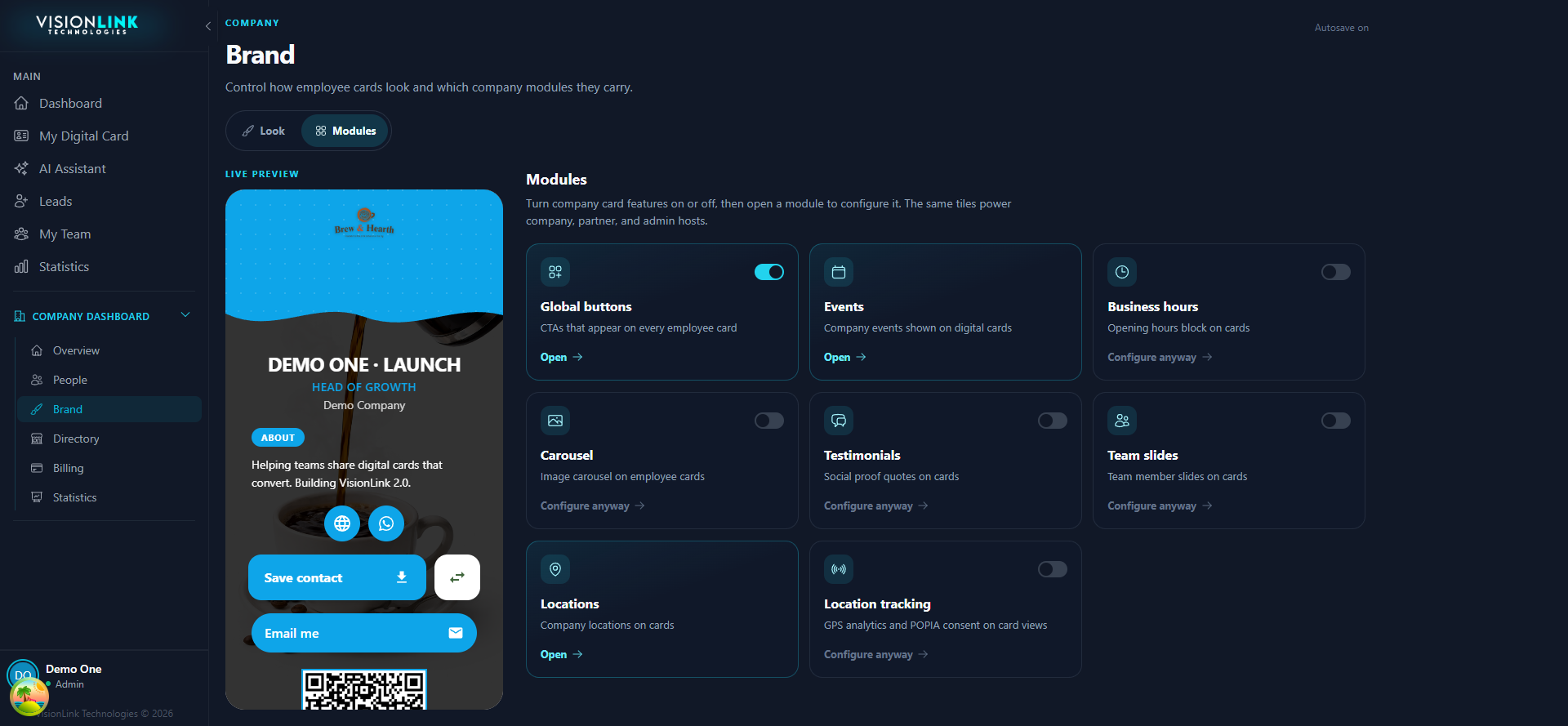
Some modules exist twice: once on your card and once under Brand for the whole company. They look identical on the public page, which trips people up. The difference is who maintains the content.
- Your module
- Content that is yours alone. Your gallery, your certificates, your quotes.
- Company module
- Content that is identical for everyone. Offices, opening hours, the company showreel.
Which one to use
Check it on a phone
Almost every visitor opens your card on a phone, in a hallway, holding something else. Preview it at that width and read it the way they will.
The test
- Your name and title are visible without scrolling
- At least one way to contact you is reachable in the first screen
- Nothing shows an empty heading with no content under it
- Images load fast enough that you do not notice them loading
- You could get someone's phone number into your phone in under ten seconds